<img height="1" width="1" style="display:none" src="https://www.facebook.com/tr?id=672348691155252&amp;ev=PageView&amp;noscript=1">
Skip to content

How-To Create Sequenced Labels in LabelForge

Updated on: February 3, 2026 3 MINUTE WATCH Published on: Feb 03, 2023
 

Creating Sequenced Labels in LabelForge

Video Transcription

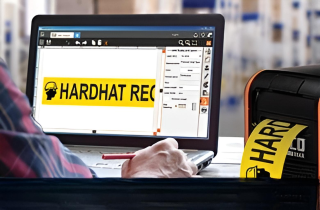
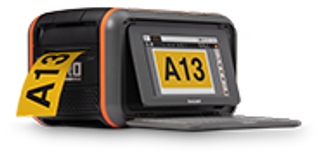
One of the advanced functions of the LabelForge labeling software is automatically generating a batch of labels that use sequential numbers room numbers, part numbers, or serial numbers. Creating these labels individually would take much longer, but LabelForge can speed up the process.

In LabelForge, open the text menu if you want to show your numbers as text or choose the linear or two d bars options to show the numbers in the form of a barcode.

In the data source drop down menu, choose sequence. Then click add text or add barcode, and the first number in your sequence will appear on your label as a new text or barcode object. Right now, this will just be a zero because we haven't set any details for the sequence.

Close the text or barcode menu to return to the main menu and click sequence button near the bottom of the menu.

In this menu, set the start and end values for your sequence of numbers.

If you want a word, phrase, or specific series of numbers to come before or after each item in the sequence, you can set that with the prefix or suffix sections.

You can also choose an increment value, which is how much the number will increase with each label, with a default value of one.

Finally, you can set a pad to make the counted number always show with a set number of digits, such as labels eight, nine, and ten.

When your design complete, you can use the arrows at the bottom of the sequence menu to cycle through the different labels in your sequence. This will show you how each label in your batch will look.

If everything looks correct, click the button in the toolbar. Choose print sequence to print your complete batch of labels or choose print current label to print only the label shown on screen.

 
Facility Signage Handbook

Get Your Free Facility Signage Handbook

Create effective facility signage to improve safety, communication, and regulatory compliance.


Get Started

Print Your Own Signs

Free Label Design Software
Free Labeling Samples