How-To Load Supply in Your DuraLabel Toro Industrial Label Printer
Video Transcription
In this video, we're going to show you how to load supply and ribbon into your DuraLabel Toro printer.
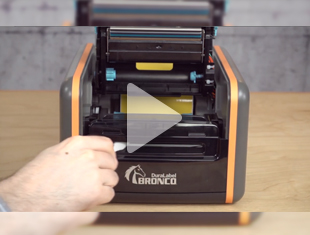
First, open the printer lid.
Open the print carriage by pushing the two gray buttons at the front of the printer.
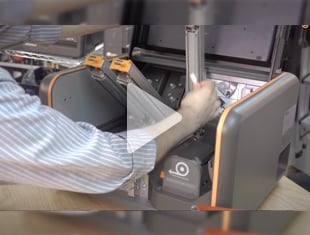
Next, pull down the cutter mechanism.
Place the spindle through the label supply and position it in the printer with the supply label facing left.
Make sure it's properly seated.
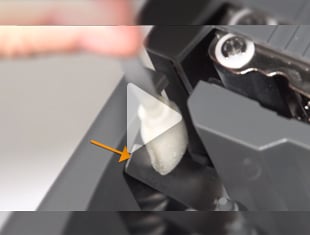
Feed the leading edge of the supply through the gray adjustable label guides and over the platen roller.
Continue pulling the supply until there's enough lead to thread the supply through the cutter slot.
Push the gray label guides in until they're holding the supply in place. Make sure they don't pinch the supply.
Now it's time to load the ribbon. Notice that your rewind core is notched on one side.
Place the core without the notch onto the gray spring loaded holder on the top front side of the print carriage.
Press in until the core fits into the gray holder on the other side.
Rotate the ribbon wheel until the notch properly seats the core.
Next, install the ribbon supply onto this gray spring loaded holder with the loose end of the ribbon falling to the rear.
Secure the left side of the ribbon core on the gray holder on the left. Again, make sure the core notch is properly seated.
Gently pull the loose end of the ribbon, extending it around and over the print carriage.
Secure the ribbon to the empty core with the built in tape liner. Rotate the ribbon wheel clockwise to make the ribbon tight and smooth.
If the ribbon has been cut and you want to reuse it, secure it to the empty ribbon rewind core with the XpressPeel vinyl label we've provided, or you can use a piece of tape.
Now rotate the ribbon wheel.
Press down firmly on both sides of the print carriage until it clicks into place.
Close the cutting mechanism until it clicks into place.
Now close the top printer door. Your DuraLabel Toro is ready to print. If you have any questions about any of our DuraLabel products, or need help with a unique labeling challenge at your facility, you can speak to one of our customer service specialists.
Call us at 888-225-2711 or you can chat live online. Just go to DuraLabel.com and look for the chat window at the top of the page.
Our service hours are 5:30am to 5pm Pacific Standard Time, Monday through Friday. To learn more about all of our visual communication solutions, visit us at DuraLabel.com
.png)